
Gerade bei Michael in der SharePoint Community gefunden:
Schön zu sehen, dass sich die Idee so verbreitet hat.
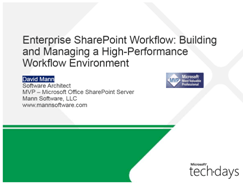
Ich habe gerade eine super Präsentation von David man zum Thema unternehmensweite Workflowerstellung mit SharePoint im Spannungsfeld zwischen Error Handling und Hochverfügbarkeit gelesen.
Drei Daumen nach oben!!!
Die Präsentation kann man hier finden.
I am glad to announce, that the ISPA SharePoint User Group Nuremberg has reached the 100 members line. It is a pleasure for me to be the founder of an initiative which reached so many SharePoint interested people. I am looking forward seeing all the new members at our next meeting on May 14th in Nuremberg.
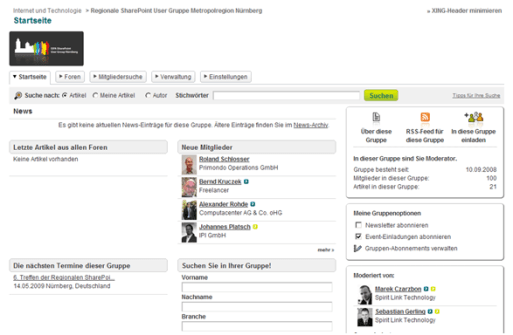
Heute habe ich mit großer Überraschung und Freude festgestellt, dass mir schon mehr als 100 Personen auf Twitter folgen. Es ist interessant zu sehen, wie viele Leute sich für meine „Gezwitscher“ interessieren.
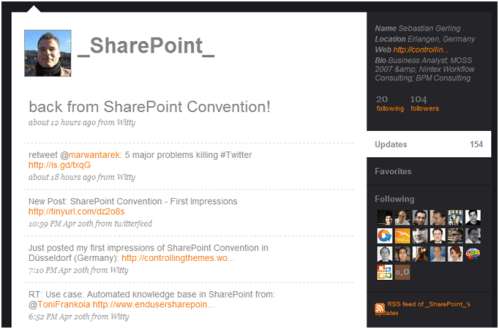

Meine ersten Eindrücke von der SharePoint Convention in Düsseldorf:
Morgen wird es denke ich mehr zu berichten geben!
…ein sehr interessantes Video über die Einsatz von Microsoft Business Intelligence Instrumenten (Performance Point) von Michael Gannotti bei YouTube.
Nintex als Microsoft® Gold ISV Partner gibt bekannt, dass Nintex als einer der ersten Partner in der Lage sein wird, neue sowie auf die neue SharePoint Version angepasste Produkte bereitzustellen.
Im Zuge von SharePoint 14 sollen folgende Themenbereiche für das neue Release von Nintex Workflow angegangen werden:
Alle Kunden erhalten automatisch eine Version von Nintex Workflow für SharePoint 14 als Teil Ihrer Software Assurance
Habe gerade einen wirklich guten Artikel zum Thema „Warum sollte man sich überhaupt mit SharePoint beschäftigen…?“ von Stephanie Krieger auf MSDN unter: http://msdn.microsoft.com/en-us/library/dd637113.aspx gefunden. Die Kernaussage folgt:
Creating a SharePoint Site, Workspace, or Template
Do you need to quickly get started on a team project? No code is required to create a SharePoint site or workspace directly from the Site Actions available on your site. Or, use SharePoint Designer 2007 for flexible tools that help you create and customize your site or workspace. You can also save your customized site as a template that others can use when creating new sites.
Creating Libraries, Lists, and Collaborative Tools
If you need to add content or a new interface through which to share content with team members, you can create lists or libraries for your site as easily as you create a site or workspace. For example, create a document library or an interactive wiki library to add content for the team to share and edit; create a task list or a custom list to track the progress of project elements.
Using Web Parts or Creating Your Own
Do you need to display information on your SharePoint site that isn’t an automatic part of a site or Web page that you created? For example, perhaps you want to display the team calendar or task list on a Wiki site home page? Web Parts are components that a user can easily add to a page on a SharePoint site to display or interact with a wide range of content types.
Branding Your Intranet
You can add basic branding elements to your site, such as your logo, directly from Site Settings. Or, use the design tools in SharePoint Designer 2007 to customize everything from fonts and colors to layout and style of your site for a fully-branded, custom Intranet.
Using Web Services to Populate Document Content
You can create Web service connections to populate document content dynamically with content on a SharePoint site. Or, you can use Web services to populate documents when generating documents on the server with a custom application.
Creating Custom Workflows
A workflow is a series of actions to apply to specified content. For example, you might have a workflow that creates a task, sends an e-mail, and updates a list when a specified user creates or edits a document. You can create workflows to be initiated either manually by users or automatically based on conditions. A single workflow can have one or many steps and each step can contain multiple conditions and multiple actions.
Creating and Using Custom Content Types
A SharePoint content type is a reusable group of settings that users can apply to different types of content added to a SharePoint site or library, such as documents. Content types make it easier to manage document metadata and behavior, enhancing capabilities such as content creation, enterprise search, and collaboration.
Creating Dynamic Business Intelligence Solutions
The enterprise edition of Microsoft Office SharePoint Server 2007 and Microsoft Office SharePoint Server 2007 for Internet Sites include powerful business intelligence capabilities for creating rich business intelligence tools. Build interactive dashboards and portals using tools such as Excel Services, data connection libraries, and business data Web Parts.
Creating Incredible Custom Collaboration Tools Using Windows SharePoint Services 3.0 and Silverlight
Microsoft Silverlight is a rich, Web-based technology, available as a plug-in that developers can use to create amazing media experiences and interactive applications for the Web. When you use Silverlight to develop tools for Windows SharePoint Services 3.0, you can provide users with powerful, compelling, beautiful components and applications that greatly enhance their work experience.
And the Number One Reason to Learn More about SharePoint Products and Technologies…
When you put all of the preceding tools together, you can build dynamic, customized, enterprise collaboration solutions where people can work together in an integrated, efficient, and friendly environment for managing content, data, business processes, and social networking.
An dieser Stelle möchte ich das nächste Treffen der regionalen SharePoint User Gruppe Nürnberg bekannt geben. Am 14.05.2009 treffen sich wieder SharePoint Interessierte aus der Metropolregion um über Probleme, Use Cases und Möglichkeiten mit MS SharePoint zu sprechen.
Diesmal wird das Treffen bei der CONNEXIS Group in Nürnberg im Nordostpark stattfinden (Forum in Nordostpark, Nordostpark 89, 90411 Nürnberg). Sprecher wird Thorsten Keck sein, der einen Vortrag über SharePoint als Entwicklungsplattform halten wird.
Geplante Inhalte sind:
Ich würde mich freuen, wieder viele Teilnehmer begrüßen zu dürfen.
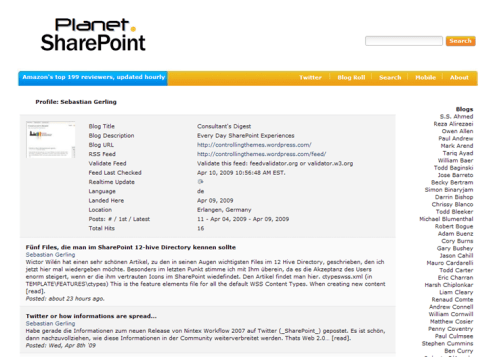
Mit 200 weiteren führenden Blogs zum Thema SharePoint ist nun auch der Consultants Digest auf dem SharePoint Planet gelistet. Ich freu mich dort in Gesellschaft von Bloggern wie Michael Greth, Tony Frankola oder Bob Fox zu sein. Alle Updates in diesen Blogs kann man sich via twitter besorgen
Wictor Wilén hat einen sehr schönen Artikel, zu den in seinen Augen wichtigsten Files im 12 Hive Directory, geschrieben, den ich jetzt hier mal wiedergeben möchte. Besonders im letzten Punkt stimme ich mit Ihm überein, da es die Akzeptanz des Users enorm steigert, wenn er die ihm vertrauten Icons im SharePoint wiedefindet. Den Artikel findet man hier.
ctypeswss.xml (in TEMPLATE\FEATURES\ctypes)
This is the feature elements file for all the default WSS Content Types. When creating new content types, most often I find it useful to derive them from existing content types. For example if I need to create a content type that derives from the standard content type Task, i can easily get the content type ID, which is used when creating new content type IDs, and what Site Columns that content type has.
fieldwss.xml (in TEMPLATE\FEATURES\fields)
Second favorite is the elements file for the WSS Site Columns feature. In this file all definitions for the default WSS Site Columns is found. Together with ctypeswss.xml this is really handy when creating custom content types. By finding out the ID’s of the Site Columns you can easily re-use the site columns when creating content types.
Custom List schema.xml in (TEMPLATE\FEATURES\CustomList\CustList)
Whenever I need to create a list definition and need to create a schema.xml I use the schema.xml for the Custom List feature and copy it to my definition.
STS onet.xml in (TEMPLATE\SiteTemplates\STS\Xml)
This is the file to check out when creating Site Definitions. The onet.xml file contains all Site Definitions (althought the folder is called SiteTemplates), which includes navigation, lists etc. Most often I copy this file (and all other files in the STS folder) and remove almost everything except the the blank site def.
DOCICON.xml (in TEMPLATE\XML)
Perhaps not that interesting that the four above, but on nearly all installations you update this file with the PDF icon (at least). What this file does it that it allows you to map an extension (or ProgID) to an icon and optionally specify an editor.
Habe gerade die Informationen zum neuen Release von Nintex Workflow 2007 auf Twitter (_SharePoint_) gepostet. Es ist schön, dann nachzuvollziehen, wie diese Informationen in der Community weiterverbreitet werden. Thats Web 2.0…
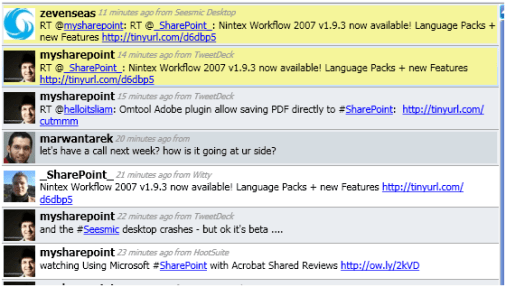
Gerade die Information bekommen, das Release hatte ich ja schon letzte Woche angekündigt. Details werden folgen.
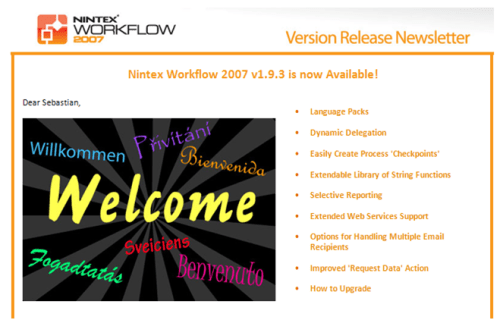
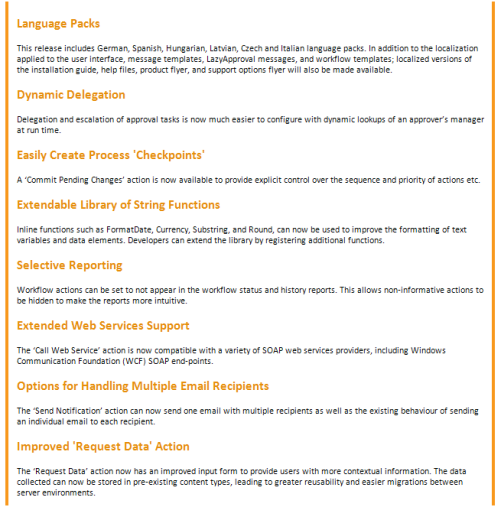
Folgende Features wird es im Detail geben
Gerade gefunden: Michael Tejedor von Microsoft spricht über die Integration des Performance Points in SharePoint. Video gibt’s hier.
Interessantes kurzes Video über die zukünftige BI Strategie von Microsoft mit Stephen Elop, dem MS Business Division President von der Business Intelligence Conference 2008 aus Seattle. Prädikat: Sehenswert!
Michael hatte es mir heute Nachmittag schon am Telefon angekündigt, dass er das Interview, was er im Januar bei seinem Besuch bei Spirit Link Technology mit Marek Czarzbon und mir zum Thema Nintex Workflow und SharePoint gemacht hat in einem seiner Oster Special Podcasts einbauen will.
Und heute Abend war es dann soweit, ich konnte meine eigene Stimme hier im Web hören.
Thematisch beschäftigt sich der Podcast mit:
Vielen Dank an Michael!
Ein wirklich schönen Artikel, der die Vorteile des Standard Check in / Check out Mechanismuses von SharePoint beschreibt habe ich bei Toni Frankola gefunden, der es schafft die Thematik mit kurzen Worten sehr schön auf den Punkt zu bringen…
Den Artikel kann man hier finden: http://www.sharepointusecases.com/index.php/2009/01/top-5-benefits-of-sharepoint-check-incheck-out/
…findet man hier bei Microsoft. Es werden die Standard SharePoint Berechtigungsstufen erläutert, die einzelnen Abhängigkeiten zwischen Listenberechtigungen (List Permisions) Websiteberechtigungen (Site Permissions) dargestellt und auch die persönlichen Rechte der User werden beschrieben.
Hier ein kleiner überarbeiteter Ausschnitt zu den Listenberechtigungen:

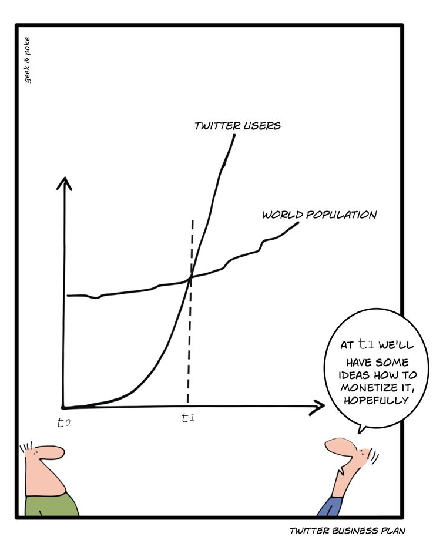
 Consultant's Digest